
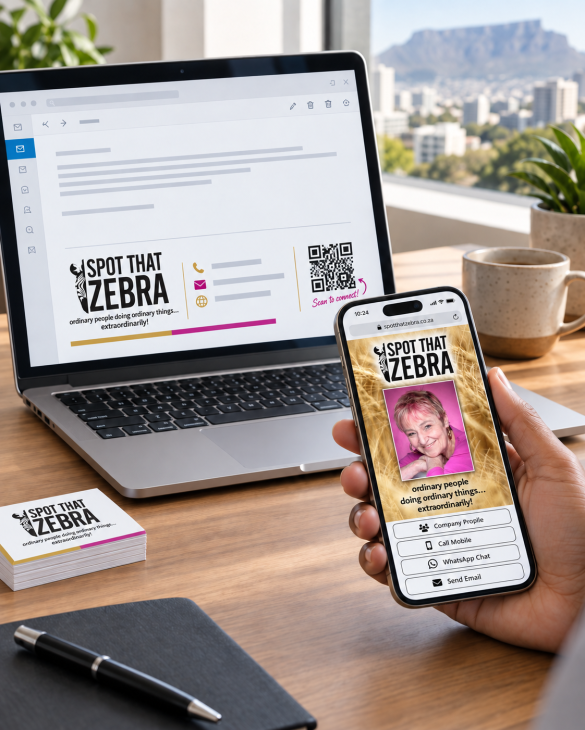
The business card has changed
Printed cards still have a place, but many business relationships now begin through an inbox, a message or an online meeting.
Your first impression may no longer be a card handed across a table. It may be the block of information underneath your email.
Your email signature is your digital business card
Your email signature should do the same basic job as a traditional business card:
- Identify the person and company.
- Establish professionalism and trust.
- Make it easy to call, email or visit the website.
Does your email signature fall short?
Image-only signatures:
Contact information cannot easily be selected, copied or clicked. Images may also be blocked or fail to load.
Broken or inconsistent signatures:
Poor spacing, blurry logos, oversized graphics, missing information and inconsistent branding create the wrong impression.
Other common problems include:
- Unnecessarily large attachments or images.
- Tiny text and icons that are difficult to use on mobile.
- Staff manually changing details and using outdated branding.
- Missing alt text and poor accessibility.
- Too many promotional banners competing for attention.
It so happens that we have a solution for these issues. DigiSig Manager helps businesses create consistent, functional and centrally controlled email signatures.
Move your contact details from their inbox to their phone
Add your digital business card QR code to your email signatures.
Someone reading your email on a laptop or desktop can scan the code with their phone. Your digital card opens without them having to type a name, telephone number or web address.
From your digital business card, they can:
- Save the contact details.
- Call or start a WhatsApp conversation.
- Send an email.
- Visit the company website.
- Open social profiles.
- Find the office using maps.
- Share the digital card with someone else.
Don't have a digital business card? We have you covered! Take a look at DigiCards4Biz.
Get more use from your QR code
Your QR code does not have to remain inside your email signature. Use it to share your digital business card or any other relevant online information on:
- Email signatures.
- Printed business cards.
- Presentations and final slides.
- Pull-up banners and conference displays.
- Brochures, proposals and product sheets.
- Reception desks and meeting rooms.
- Zoom or Teams backgrounds.
- Name badges and event signage.
- Packaging, vehicles and shop displays.
The important thing is to match the destination to the setting. A conference banner might link to a product page, while an email signature or business card might link directly to your digital contact card.
QR codes complement links, they don't replace them
Always tell people what they will get when they scan your code. For example:
"Scan to save my contact details"
"Scan to connect"
"Scan for directions"
"Scan to view the full product range"
A QR code without an explanation gives people no reason to scan it.
You should also include a normal clickable link alongside the code. Someone reading your email on a phone may not be able to scan a code displayed on that same phone.
Important contact information such as your telephone number, email address and website should remain visible, selectable and clickable.
Make every contact point count
A good email signature creates a professional first impression. A digital business card makes your details easier to save and share. A well-placed QR code connects the two.
Together, they turn every email, presentation, meeting and printed item into an opportunity for someone to connect with you.
Useful QR-code statistics
- In April 2024, 36.2% of South African internet users aged 16-64 reported scanning or using a QR code on a mobile device each month, according to the Digital 2024 Global Statshot.
- A 2024 TEAM LEWIS survey found that 68% of consumers had used a QR code during the previous year. Usage was higher among Gen Z at 83% and Millennials at 81%.
- In a small 2024 US Census usability study, every participant successfully opened a survey using a QR code, taking an average of 12.4 seconds, and participants rated the process "extremely easy." The sample was only 20 people, so this is useful as a usability example, not a population statistic.
Discover DigiSig Manager and DigiCards4Biz.